

Residents expect TV that works every time they press the remote. They also expect it to work at 7 p.m., when everyone sits down at once. That is why the right internet speed for senior living community streaming TV is never a single number. It depends on how many TVs run at the same time, what they play, and how the building is wired.
A 2026 survey commissioned by DIRECTV FOR BUSINESS found that 70% of independent living residents now use streaming services.
If you plan to deliver DIRECTV Stream for senior living, your network has to carry that demand. This article shows you how to size it, step by step.
Why Internet Speed for Senior Living Community Streaming TV Is a Peak-Hour Problem
Average use hides the real risk. A community can look fine at 2 p.m. and struggle at 7 p.m. The same DIRECTV survey reports that streaming use is up 5% since 2024. Adoption reaches 81% for residents aged 70 to 74, 72% for ages 75 to 79, and 62% for ages 80 to 84. More streaming residents means more streams running at the same moment.
Picture a typical evening. Residents watch the news, game shows, and movies in the same two-hour window. A best-priced movie package for senior living can make movie nights even busier. Staff may also use the network for tablets, charting, and video calls. All of it draws from the same connection.
So, what internet speed does a senior living community need for streaming TVs? Enough to carry every active stream at peak, plus room for everything else on the network. Peak concurrency is the number that matters. The daily average does not.
Per-Stream Speed Numbers You Can Trust
How many Mbps per stream does a TV need? Use published requirements, not guesses.
| Use | Speed per stream | Source |
| DIRECTV streaming on a business TV | 8 Mbps | DIRECTV FOR BUSINESS support |
| Netflix HD (720p) | 3 Mbps | Netflix Help Center |
| Netflix full HD (1080p) | 5 Mbps | Netflix Help Center |
| Netflix 4K | 15 Mbps | Netflix Help Center |
The DIRECTV Stream internet speed requirements for business are clear. DIRECTV recommends at least 8 Mbps per device and gives an example of 80 Mbps for 10 devices. For its bulk streaming TV for senior living offer, DIRECTV, also lists a minimum of 8 Mbps. Still choosing a delivery type? Start with traditional DIRECTV vs. DIRECTV Stream.
Live channels are less forgiving than on-demand video. For internet speed for streaming live TV, use the 8 Mbps figure per TV and keep a buffer on top. Sports and news leave little room for a slow connection.
Plan for internet speed for 4K streaming only where residents actually have 4K TVs and 4K content. Netflix lists 15 Mbps for 4K. Many rooms will run at HD, so do not size the whole building for 4K.
How to Calculate Bandwidth for Your Community
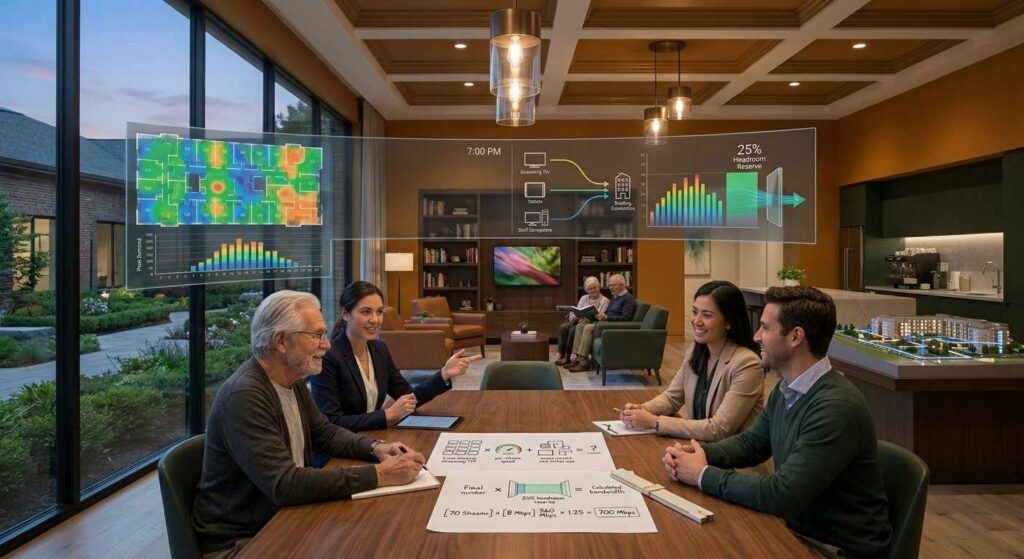
Use this formula to set the internet speed for senior living community streaming TV:
Peak simultaneous streams × Mbps per stream + other network use + 25% headroom
Follow these steps:
- Count every TV that can stream in apartments and common areas.
- Estimate how many run at once during your busiest hour.
- Multiply by the per-stream speed, such as 8 Mbps.
- Add other traffic, such as resident Wi-Fi, staff devices, and phones.
- Add about 25% headroom so a busy night does not become a buffering night.
Here is an Example
It is an illustration, not a statistic. A community has 100 apartments with one TV each and 10 common-area TVs. Assume 60 apartment TVs and all 10 common-area TVs stream at peak. That is 70 streams. At 8 Mbps, the TV load is 560 Mbps. Add 25% headroom, and you reach 700 Mbps before any other network use.
How much internet speed for streaming TV does a building need, then? In this example, closer to gigabit service than to a standard household plan. For independent living internet speed, remember that each apartment acts like its own household, yet all of them share one building connection.
A 25 Mbps connection covers about three streams at 8 Mbps. That works for a small office, not for a community. The FCC’s fixed broadband benchmark is 100 Mbps download and 20 Mbps upload. That benchmark describes basic broadband, not a building full of TVs.
Your senior living bandwidth requirements should also include growth. Residents add tablets and smart TVs every year, and many video call family. Treat high-speed internet for senior living as shared infrastructure, not a resident perk. High-speed internet for senior citizens is no longer a nice extra. Build room for growth into the service plan from day one.
Ask your provider about business-class service. It often comes with service guarantees and faster support than a standard residential plan. Faster service costs more, so weigh it against how much TV service costs for a senior living community.
Wired Vs. Wi-Fi Inside the Building
A fast connection into the building does not guarantee a good picture in every room. The last 100 feet matter.
Wi-Fi shares airspace. Many devices on one access point slow everyone down. Thick walls, long corridors, and older buildings add more trouble. For senior living Wi-Fi bandwidth, plan enough access points, and place them by room layout, not just by square footage.
Wired Ethernet is steadier for fixed TVs. A cable from the network switch to the TV avoids radio interference. It also keeps TV traffic off the Wi-Fi that residents use for phones and tablets. To protect the internet speed for senior living community streaming TV, you planned on paper, wire common-area TVs, and apartment TVs wherever the building allows.
Other systems can share the network too. Some communities run wireless nurse call. That traffic should never compete with a movie. Compare wired vs. wireless nurse call systems before you finalize the network design.
Finish with a site walk. Confirm cable runs, equipment locations, and signal tests before install day.
Streaming Vs. Headend Delivery: A Bandwidth Decision
Streaming is not the only way to deliver TV. A headend receives channels at one central point and sends them through the building. A satellite-fed headend brings live channels in from the dish. Those channels do not use your internet connection.
That makes delivery a bandwidth decision. Streaming puts every stream on your internet connection. A headend moves most live TV off it. Choosing between them is part of setting the internet speed for senior living community streaming TV. Compare both models in centralized headend vs. individual receivers.
Many communities blend both. The DIRECTV for Business Advanced Entertainment Platform combines satellite TV with app-based and on-demand content. That mix can ease the load on your internet connection while still giving residents streaming apps.
Each delivery choice changes your internet needs. Many communities also mix delivery by building, wing, or common area.
Outages matter too. A satellite-fed headend keeps live channels running when the internet is down. Streaming does not. For the equipment side, read the commercial TV headend systems guide.
The PulseNetTV Difference: Experience That Makes a Difference
Choosing the right TV and streaming setup for a senior living community takes more than calculating internet speed. It requires an understanding of the property’s infrastructure, residents’ viewing habits, and the level of support needed to keep entertainment running smoothly.
At PulseNetTV, we bring more than 20 years of industry experience to commercial TV solutions. We have served over 500 communities and earned the trust of more than 10,000 businesses nationwide.
Our approach combines national reach with the personal attention of a local partner. From the initial site visit to installation and ongoing support, we focus on helping businesses find TV solutions that match their needs.
With 24/7 support from a dedicated contact, PulseNetTV helps senior living communities navigate their TV service needs with greater confidence. Whether you are considering streaming, satellite delivery, or a combination of both, our team can help identify an approach that works with your building and infrastructure.
“Technology should make entertainment easier, not create another challenge. At PulseNetTV, we deliver dependable TV solutions backed by industry expertise, personal service, and ongoing support.”
Todd — CEO, PulseNetTVWhat Else Drives Your Peak Load
Programming choices change viewing habits, and viewing habits change peaks. Movie nights, live sports, and big news events pull residents to the screen together. Review DIRECTV packages for seniors compared to match the lineup to what residents watch. Then count those evening hours in your peak estimate.
If you add a DIRECTV community channel for announcements and events, count it as one more feed in your plan.
Budget matters as well. Internet upgrades are part of the real price tag, so price the network together with the TV system.
Common Mistakes to Avoid
- Sizing for average use instead of peak use.
- Counting apartment TVs and forgetting lounges, dining rooms, and activity rooms.
- Relying on Wi-Fi for every TV.
- Buying the cheapest plan with no headroom.
- Ignoring upload speed, which matters for resident video calls.
- Choosing a delivery type without comparing DIRECTV satellite vs. streaming.
- Skipping a backup plan for outages.
Test Before Launch
Do not trust a plan until you test it. Run speed tests during your busiest evening hour, not at noon. Test from the farthest apartment and from the common rooms. Check results on both wired and Wi-Fi connections.
Then run a pilot. Stream on several TVs at once and watch for buffering or quality drops. Use a commercial DIRECTV installation checklist to confirm each location before rollout. Fix weak spots before the full launch. Keep the results, because they help you hold your internet provider to its promised speeds.
Checklist Before You Commit
Use this checklist to confirm the internet speed for senior living community streaming TV before you sign.
- Count all streaming TVs, including common areas.
- Estimate your busiest hour, not your average hour.
- Use 8 Mbps per DIRECTV stream as a baseline.
- Add 25% headroom for growth and other devices.
- Confirm wired connections for fixed TVs.
- Check Wi-Fi coverage room by room.
- Ask the provider about service guarantees and support.
- Decide where a headend can take load off the network.
- Review senior living TV solutions that mix delivery by wing or common area.
Size Your Network Before Residents Press Play
The right internet speed for senior living community streaming TV comes from peak counts, per-stream numbers, and a sound building network. Start with 8 Mbps per DIRECTV stream, add headroom, and wire what you can. Then decide whether streaming, a headend, or a hybrid fits each part of the property.
If you want a plan built around your building, request a commercial quote. The PulseNetTV team can review your property, your internet service, and your TV goals, then recommend the right delivery model.
Frequently Asked Questions
How much internet speed does a senior living community need for streaming TV?
Multiply peak simultaneous streams by 8 Mbps, add other network use, and add 25% headroom. A 70-stream peak needs about 700 Mbps in the example above, before other network use.
How many Mbps does one TV stream need?
DIRECTV recommends 8 Mbps per device for business streaming. Netflix lists 3 Mbps for HD, 5 Mbps for full HD, and 15 Mbps for 4K.
Is 25 Mbps enough for a senior living community?
No. It supports about three 8 Mbps streams. That works for a small office, not for a community with dozens of TVs.
How do you calculate bandwidth for a senior living community?
Count streaming TVs, estimate peak use, multiply by the per-stream speed, add other traffic, and then add headroom.
Does a headend system use the community’s internet?
A satellite-fed headend does not use it for live channels. Streaming apps and on-demand content still do.
What happens to TV streaming when many residents watch at once?
If demand passes capacity, video buffers, drops in quality, or stops. Peak planning prevents this.
Is Wi-Fi or wired better for resident TVs?
Wired is steadier for fixed TVs. Wi-Fi works, but shared airspace can slow it down when many devices connect.