


Switching your business TV provider can seem complicated, especially when multiple TVs, equipment, programming, contracts, and installation schedules are involved. If you’re planning to switch your business from cable to DIRECTV, the key is to plan the transition before disconnecting your current service.
The process starts with reviewing your existing cable service, identifying what your business actually needs, comparing available DIRECTV options, and coordinating installation. With the right preparation, businesses can make the transition more smoothly and reduce the risk of unnecessary service interruptions.
Can a Business Switch From Cable to DIRECTV?
Yes, businesses can switch from cable to DIRECTV, but the process should be planned around the property’s specific TV setup.
A small office with a few televisions may have relatively simple requirements, while a hotel, restaurant, senior living community, healthcare facility, or other large property may need service across numerous TVs and shared spaces.
Before making a change, consider:
- How many TVs need service
- Where the TVs are located
- Which channels are important
- Whether sports programming is required
- What equipment is currently installed
- When the existing cable agreement ends
- What installation requirements the new service may have
Taking these steps first can help prevent surprises during the transition.
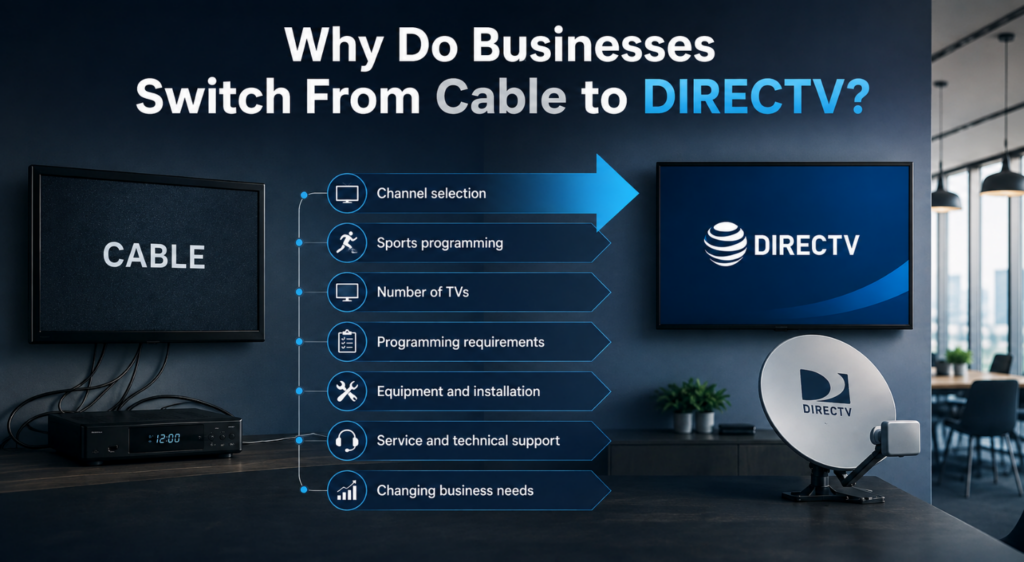
Why Do Businesses Switch From Cable to DIRECTV?
Businesses have different reasons for changing TV providers. For some, the current cable lineup may no longer provide the programming customers, guests, residents, or employees expect. Others may be looking for different sports or entertainment options.
Common considerations include:
- Channel selection
- Sports programming
- Number of TVs
- Programming requirements
- Equipment and installation
- Service and technical support
- Overall value
- Changing business needs
The goal should not be to choose a provider simply because it offers more channels. Instead, businesses should determine which programming and service features are actually useful for their environment.
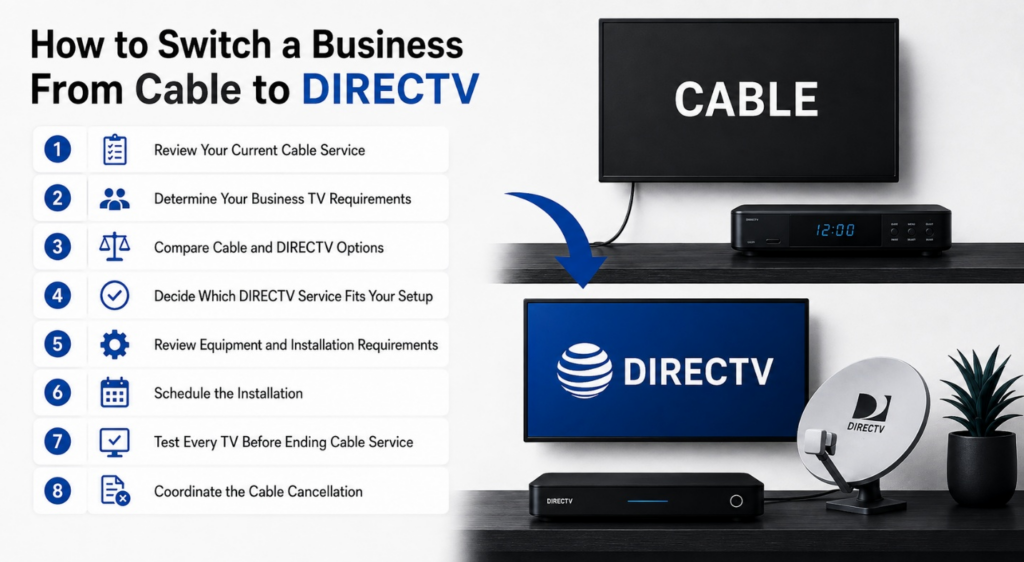
How to Switch a Business From Cable to DIRECTV
A smooth transition usually comes down to preparation. Follow these steps before making the change.
1. Review Your Current Cable Service
Start by looking closely at your current cable agreement and monthly bill. Identify your existing package, the number of TVs receiving service, equipment charges, contract terms, and cancellation requirements. Knowing exactly what you’re currently paying for gives you a useful starting point for comparing another provider.
Also check whether your business has a contract expiration date or early termination requirements. This can help you choose a practical time for the transition.
2. Determine Your Business TV Requirements
Next, create a simple inventory of your televisions. Record the number of TVs and where each one is located. For example, a hotel may have TVs in guest rooms and common areas, while a restaurant may have several screens positioned throughout the dining area.
Also consider who watches the TVs and what they expect to see.
Ask:
- Are sports channels important?
- Are news channels required?
- Do guests or customers choose what to watch?
- Are TVs used mainly for entertainment?
- Are there common areas that need separate programming?
- Does the business have more than one building or location?
The answers can help you determine what type of service and programming your business actually needs.
3. Compare Cable and DIRECTV Options
Once you understand your current setup, compare it with the DIRECTV options available for your business. Look at more than the monthly price. Consider programming, equipment, installation, support, and the number of TVs that need service.
For a broader comparison, see our guide to Cable TV vs. DIRECTV, which examines differences in cost, performance, and picture quality. A side-by-side comparison can make it easier to identify what you would gain, what may change, and what your business actually needs.
4. Decide Which DIRECTV Service Fits Your Setup
Not every business has the same technical or programming requirements. Before selecting a service, ask the provider which option is appropriate for your property and how the service will be delivered.
Businesses should also understand the difference between traditional satellite-based DIRECTV and streaming-based options. Our guide to traditional DIRECTV vs. DIRECTV STREAM explains how the two approaches differ.
This is particularly important for businesses with multiple TVs or specialized commercial requirements. Rather than assuming one option will work for every location, discuss your setup with the provider before installation.
5. Review Equipment and Installation Requirements
Switching providers may involve more than changing the service on your bill. The new setup may require different equipment or installation arrangements. Your provider should evaluate the property and explain what is needed before the installation date.
Ask about:
- Equipment requirements
- Number of receivers or other devices
- TV locations
- Wiring or infrastructure
- Installation responsibilities
- Any equipment that needs to be replaced
Getting these details in advance can help prevent installation-day surprises.
6. Schedule the Installation
Choose an installation date that causes as little disruption as possible. For a restaurant, that could mean scheduling work outside peak dining hours. A hotel or senior living community may need to coordinate installation around guests or residents.
If your business relies heavily on television as part of the customer or resident experience, avoid scheduling the change during an especially busy period.
Before installation, confirm which TVs and areas are included so nothing is overlooked.
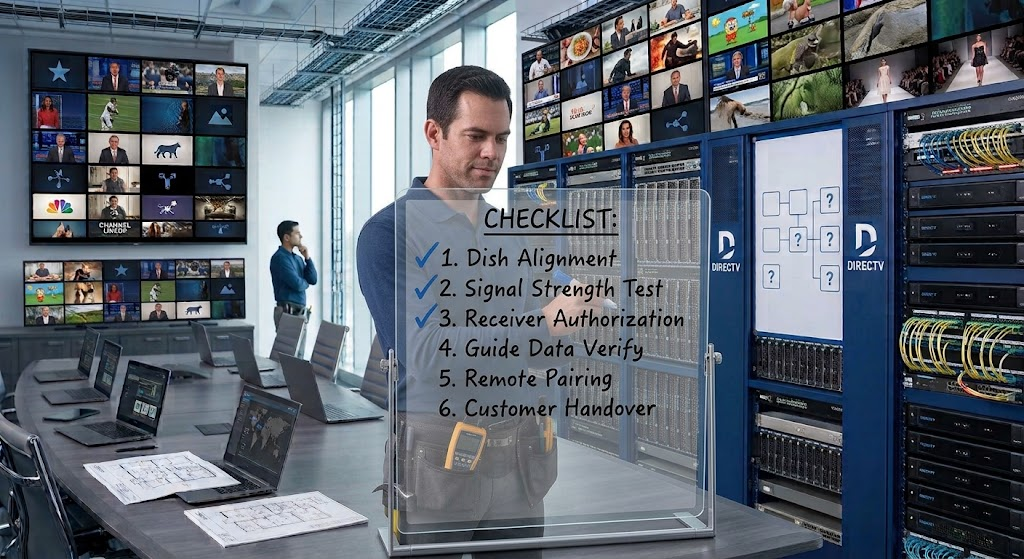
7. Test Every TV Before Ending Cable Service
Once the new system is installed, test it before completely disconnecting your old service. Check each television individually. Make sure the required channels are available, remotes work correctly, and equipment is functioning as expected. For larger facilities, keep a checklist of TV locations and mark each one after testing.
This simple step can help identify problems while the installation team is still available to address them.
8. Coordinate the Cable Cancellation
One of the most important steps is timing the cancellation correctly.
Do not automatically cancel your cable service before the new DIRECTV system has been installed and tested. If there is an unexpected installation issue, ending the old service too early could leave your business without TV service.
Instead, coordinate the two services carefully and confirm the new system is working before completing the transition whenever your contract and provider arrangements allow.
How Long Does It Take to Switch From Cable to DIRECTV?
There is no single installation timeline for every business. The time required can depend on the number of TVs, property size, equipment requirements, installation complexity, existing infrastructure, and scheduling availability.
A business with several televisions may require more planning than a small office. Larger facilities should allow enough time for the provider to evaluate the property, install the required equipment, and test each TV.
The best approach is to discuss the expected timeline with the provider before choosing a cancellation date for the existing cable service.
What Should a Business Prepare Before Switching?
Having the right information ready can make the process easier.
Use this checklist before contacting a new provider:
| What to Prepare | Why It Matters |
| Current cable bill | Helps you understand your existing service and costs |
| Contract details | Shows cancellation terms and important dates |
| Number of TVs | Helps determine the size of the installation |
| TV locations | Identifies where service is required |
| Preferred channels | Helps determine programming needs |
| Sports requirements | Important for businesses that regularly show live sports |
| Existing equipment | Gives the provider information about the current setup |
| Preferred installation date | Helps minimize disruption |
| Budget | Provides a starting point for comparing options |
Having this information available can make it easier for a provider to understand your requirements and recommend an appropriate solution.
How to Avoid Downtime When Changing TV Providers
The biggest concern for many businesses is losing TV service during the transition.
A few simple precautions can reduce that risk:
- Don’t cancel cable too early: Coordinate the cancellation with the new installation.
- Choose an appropriate installation time: Avoid your busiest operating periods whenever possible.
- Confirm the number of TVs: Make sure every required television is included in the installation plan.
- Test the system: Check channels, remotes, and equipment before ending the old service.
- Keep staff informed: Employees should know when the change is happening and who to contact if an issue occurs.
- Ask about technical support: Know how to get help if something does not work after installation.
Planning these details ahead of time can make the transition much less disruptive.
What About DIRECTV Packages for Different Businesses?
Programming requirements can vary significantly depending on the type of business. A restaurant or sports bar may prioritize live sports, while a hotel may focus on providing guests with a broad entertainment selection. Senior living and healthcare environments may have different programming preferences again.
For hospitality businesses specifically, our guide to DIRECTV packages for hotels, motels, and inns provides additional information about programming considerations for these properties.
The important thing is to choose programming based on the people using the TVs and the purpose those TVs serve.
Is Switching From Cable to DIRECTV Right for Your Business?
There is no universal answer for every business. The right choice depends on your current cable service, programming requirements, number of TVs, property setup, budget, and expectations for support.
If your current service no longer meets your business’s needs, comparing alternatives can help you determine whether making a change is worthwhile.
Before you switch your business from cable to DIRECTV, review your current agreement, identify your TV requirements, compare programming, discuss installation requirements, and plan the transition carefully.
Switch Your Business TV Service With Confidence
Changing TV providers does not have to disrupt your business. By reviewing your current cable service, identifying your programming needs, planning installation, testing the new system, and coordinating the transition, you can make the process much more manageable.
If you’re ready to switch your business from cable to DIRECTV, explore PulseNetTV commercial TV solutions to find a service approach that fits your business’s TV needs.
Frequently Asked Questions
Can a business switch from cable to DIRECTV?
Yes. Businesses can change TV providers, but the installation and programming requirements should be reviewed before making the transition.
Do I need to cancel cable before installing DIRECTV?
Not necessarily. It is generally better to coordinate the cancellation with the new installation so you can avoid an unnecessary gap in TV service.
Can DIRECTV serve multiple TVs in a business?
Business TV requirements can vary by property and setup. Discuss the number and location of your TVs with the provider so the appropriate service and equipment can be planned.
How long does it take to switch from cable to DIRECTV?
The timeline depends on factors such as the number of TVs, property size, equipment, installation requirements, and scheduling availability.
What should a business consider before switching TV providers?
Compare programming, equipment, installation, support, costs, contract terms, and the number of TVs that require service. It is also important to plan the transition so your business does not experience unnecessary downtime.